
Blog Banner

iStethoscope Free Support Page


This is the official support page for iStethoscope Free, the new free version of the highly popular iStethoscope Pro program. It has all the same audio capabilities and settings as the Pro version; the difference is that it has adverts and it does not have the spectrogram display.

Please note that this app is intended to be used for entertainment purposes and as a demonstration of the technology. It is not intended to be used for the diagnosis of disease or other conditions, or the cure, mitigation, treatment, or prevention of disease and should not be used as a medical device. We are working to develop fully certified iPhone apps that may be used as medical devices in the future.

iStethoscope is hugely configurable, allowing you to change every major setting in the program. Please provide your favourite settings as comments below, to help other users. There is already extensive support available on the iStethoscope Pro page so if you have a problem the solution may be there already. If you still have difficulties, then please read the help pages and comments first. If you can't find a solution, then leave a query below and I'll reply on this page within a day or 3. If you enjoy this application, please check out the popular science book: The Undercover Scientist

Help page for iStethoscope: http://www.peterjbentley.com/istethoscopefree.html

iStethoscope Free was released on App Store on July 30 2010. It is the firmware 4.0 compatible version of the popular original iStethoscope program. If you have an iPhone 4 please visit this page for tips on settings.

The videos below provide hints and tips on using the application:


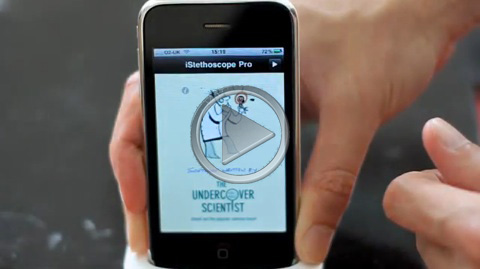
Learning to use iStethoscope:
 

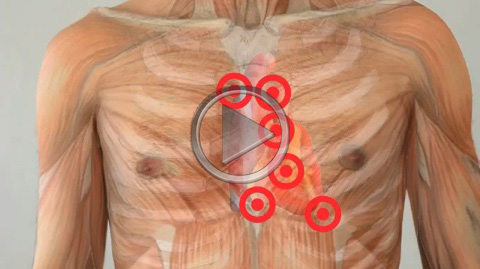
Placing the microphone:
 

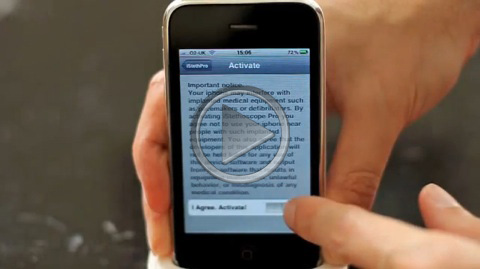
Activation:
 

Why can't I hear my heart?
 

Emailing audio:
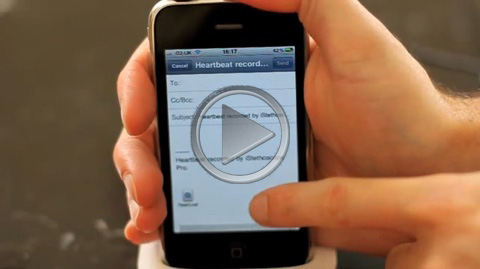
 

Changing filter settings:
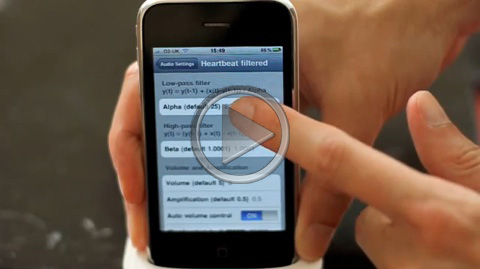
 

Changing audio mode settings:
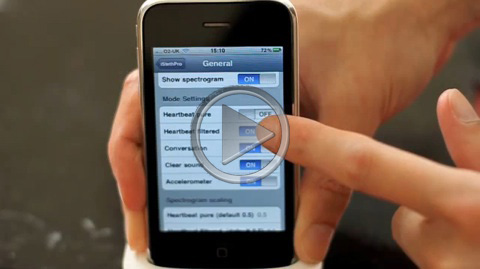
Geens (February 23, 2013 9:16 AM):

K

GiDong Lee (January 8, 2013 3:23 PM):

i need this app for android. and is it possible to hear lung sound?

Peter J. Bentley (April 11, 2012 6:56 PM):

Hi Jeanie, I hope you figured this one out. The app records in CD quality AIFF format, which gets bundled as a CAF file by the iphone. Just rename the file as .AIF and use the freely availably Audacity program to open the file and play or convert it into whatever format you prefer. Peter.

joern (December 12, 2011 11:09 AM):

I am unable to use the app with iPhone 4s. It is looking that the graph is just showing my finger tip to start the app. After that there is no refresh. Trying several Modes, with no change.

Jeanie Akamanti (November 3, 2011 4:02 AM):

LOVE my istethoscope app and my digital stethoscope. But I need help with the sound files! When I play them back on my computer, they are hard to hear, convey little to no clinical detail, and pale in comparison to the excellent quality I hear and record on my phone. How do I play the sounds back on my computer (Max OS X 10.5.8) and get the same excellent quality? I have tried opening them in iTunes, Quicktime, and even reverted to using a windows medial player. The quality in all cases is very poor, and I can scarcely hear the play back much less clinical sounds. Also, can the wav files only be save by sending as an e-mail? Can I save them on my iPhone? Play them back on my iPhone? Again, thanks for this incredible approach. I have had my beloved Littman for over 30 years and – can’t believe I am saying this – like the sounds from my e-scope even better. Now just let me know how to save and play back those great sounds with their original quality!

Muawia (August 23, 2011 10:34 AM):

Nice one

Sudhanshu (January 18, 2011 10:35 AM):

I downloaded the free version, but I am not able to activate the recording.

nick (December 6, 2010 10:48 PM):

+1 for an android equivalent!

Peter Bentley (November 21, 2010 5:07 PM):

Hi Per, sometimes the AppStore does not install programs properly and the Settings are not updated correctly. If you don't see the iSteth settings, remove the app, restart the iphone and reinstall the app again and it should be ok.

musthafa (October 30, 2010 2:40 PM):

i dont know what is this . icant down load this app

Per Svalander (October 27, 2010 4:16 PM):

Hi, I cant activate the app. It Sony ler me open the settings. Why is that do you think?

Ann (October 14, 2010 12:01 AM):

Hi, this looks really cool - are there any plans to make a version that runs on Windows Mobile or Android rather than iPhone?

Roel (October 4, 2010 1:02 PM):

Very interesting..

Thys Cronje (October 4, 2010 7:32 AM):

Interesting to hear about the possibilities to detect pathological murmurs using the iphone! We implemented an algorithm running on a PC achieving more than 90% sensitivity and specificity, but it would be interesting to see what could be achieved using the iPhone's microphone.

Peter J. Bentley (September 9, 2010 3:59 PM):

Hi Pat, you are right that anyone concerned about the effect of electromagnetic radiation should keep their phones away from babies, or in airplane mode. Thankfully the strongest signals are only produced when making or receiving phone calls - not something that will be happening during the use of this app. I suspect therefore that the emissions experienced by a baby are likely to be considerably less using the app in the way you describe compared to those experienced when a seated mother makes a lengthy mobile phone call. Whether this practise should also be restricted is perhaps still a debate to be had.

Pat O'Leary (September 8, 2010 1:07 PM):

Hi - are you aware that due to some clown on a radio station here (in Ireland) people are using this app to listen to babies' heartbeats in the womb? I have commented on a website when I came across this but I doubt it will make any difference. I note that in the fine print you do suggest "Airplane Mode" for those who are concerned about defibrillators etc. but having seen how most people can't even find the off button when on airplanes I doubt they will pay any attention. Could you please please let it be known that placing a working mobile phone next to a baby in the womb is a dreadful idea? I am not an anti-phone or phone mast zealot by the way - but I do think this development is foolhardy to put it mildly. I happen to have the ICNIRP and IEEE C95.1 standards beside me as I am doing some research on wireless implants - and while they cover most scenarios the very idea of sticking a mobile phone next to an unborn child does not seem to have occurred to them.

Peter Bentley (September 7, 2010 1:33 PM):

Hi Thys, yes we are working on this. The data collected from the "Medical Trial" option will be used soon in a challenge to computer scientists across Europe. We shall ask them to create a machine learning algorithm capable of distinguishing between normal and abnormal heart sounds. If we can find the best method then perhaps it can be put inside an app in the future.

Thys cronje (September 7, 2010 6:48 AM):

Hi Peter

Great app!! What about introducing an algorithm to detect pathological heart murmurs?

Peter Bentley (September 6, 2010 5:59 PM):

Hi Ingmar, I'm very sorry for that. Very rarely, Apple's audio routines do not shut down correctly, leaving this effect. You need to turn your phone off and on again to clear its memory and it will be fine again.

Ingmar (September 5, 2010 8:31 PM):

Hello Peter, I installed your App iSteth (free). Now the header of my Iphone is redcoloured and flashing and it shows all the time also a second line with "iSteth" on it. I find this irritating and useless. How can this be removed?? Thank you for your answer and hopefully a solution to sole this. Greetings, Ingmar

Peter Bentley (September 5, 2010 11:20 AM):

Hi Prakash and David, the app relies on the excellent quality microphones of the iphone. Sadly many Android phones do not have microphones of sufficient quality to make it work, so an Android version would be a very frustrating experience for many.

David (September 4, 2010 9:24 PM):

Saw your BBC coverage, congrats, when will there be an Android version?

Prakash (September 4, 2010 2:32 PM):

Hi Peter

This is one of the best application I have come across.. Keep the good work going and best of luck. My question is whether you are planning to modify the application to use in android phones. I currently use a android run phone. Just wondering whether you are planning to release it for android platform phones.

Prakash

Peter Bentley (September 2, 2010 11:37 PM):

Hi Thomas, please see my reply below - the app continuously records and will play the last 8 seconds every time you shake or touch the stethoscope image. Please read the instructions for more details about the settings.

Thomas van Schaik (September 2, 2010 2:39 PM):

Intriguing app, but difficult to handle. Two questions: How do you start a new recording and dispose of an old one? Is there a way to show what all the different audio settings do and why you need them. When I leave the default settings on only clear sound produces a sound/recording. Does it have to do with the amount of fat and or muscle tissue? I would like more detail on why and how it affects the readings before I will get the payed version.

George Lemonofides (September 2, 2010 7:52 AM):

istethoscope  is not available for the iPad, and it is obvious why, it's to big to place the microphones against the chest. However we know that the iPad camera accessories allow a USB mic to be connected to the iPad. This should provide wonderful opportunity to develop an attachment for the iPad, which could be used, just like a stethoscope. Imagine what the sound graphics would look like.

Carlos vega (September 1, 2010 11:15 PM):

I can't download this application, I been try to do it but it doesn't let me.

Peter Bentley (September 1, 2010 3:41 PM):

Hi Gary - the app continuously records so there is no need for a button. If you tap the stethoscope or shake your phone it plays back the last 8 seconds. I hope this helps! Peter.

nicola (September 1, 2010 12:04 PM):

sarei interessato

Gary (September 1, 2010 10:33 AM):

We downloaded the free version tonight to try your application out and were totally baffled by the lack of one crucial piece of information - how to start the recording... There's all kinds of audio settings but not even a HINT that we need to tap on the stethoscope graphic to start! It would be most helpful for others if you added "Rec" or "Start" or SOMETHING on the screen to indicate it must be tapped to begin.

Permalink